Product options for Shopify
Product options that don't break.
Custom fields that survive theme updates, a flat price with no order caps, and bulk-apply across every product in one click.

Custom fields that survive theme updates, a flat price with no order caps, and bulk-apply across every product in one click.
The complaints are always the same three. Here's how Anvil is built differently.
Custom options render inside sandboxed app blocks, so they keep working through theme updates, previews, and swaps — no reinstalling, no disappearing fields.
One honest monthly fee whether you process ten customizations or ten thousand. No order limits, no percentage cuts, no surprise surcharges at peak season.
Build a set of fields once, then assign it to a single product, a tag, or your entire catalog in one click — no copy-paste, no per-product setup.
Add the fields you need — text boxes, numbers, dropdowns, radio buttons, checkboxes, and dates — and group them into a reusable set right from the dashboard.
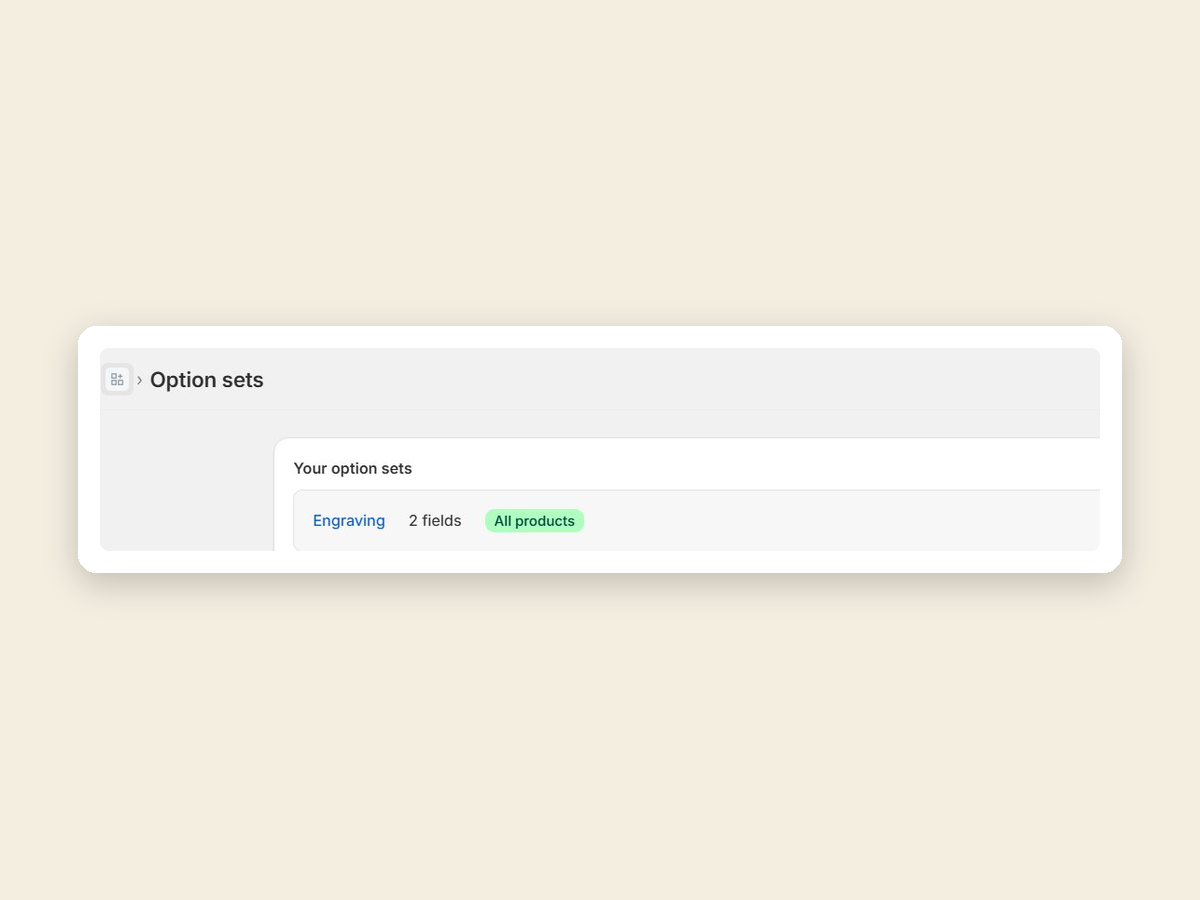
Apply the set to a single product, a tag, or your whole catalog in one click. The fields render on the storefront once you add the Anvil block to your theme — you never edit theme files.
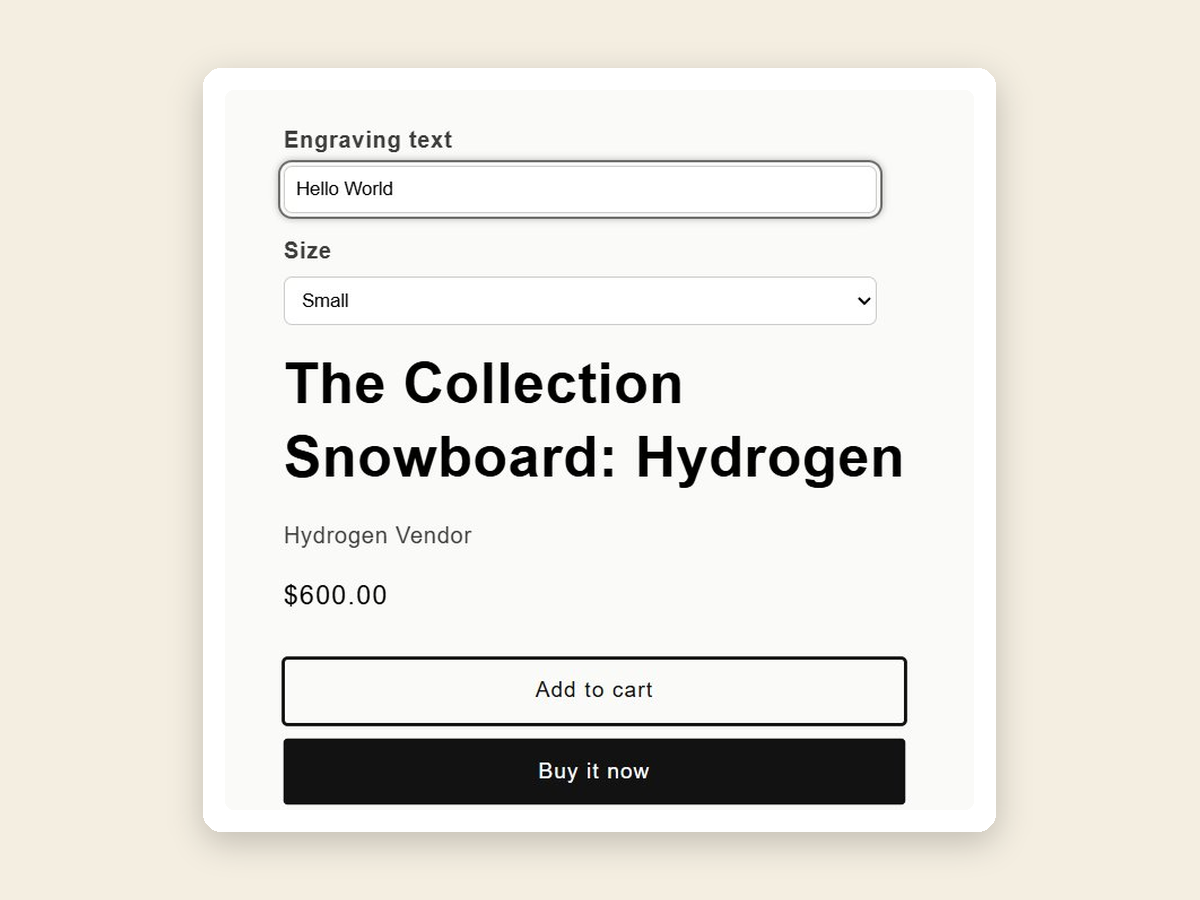
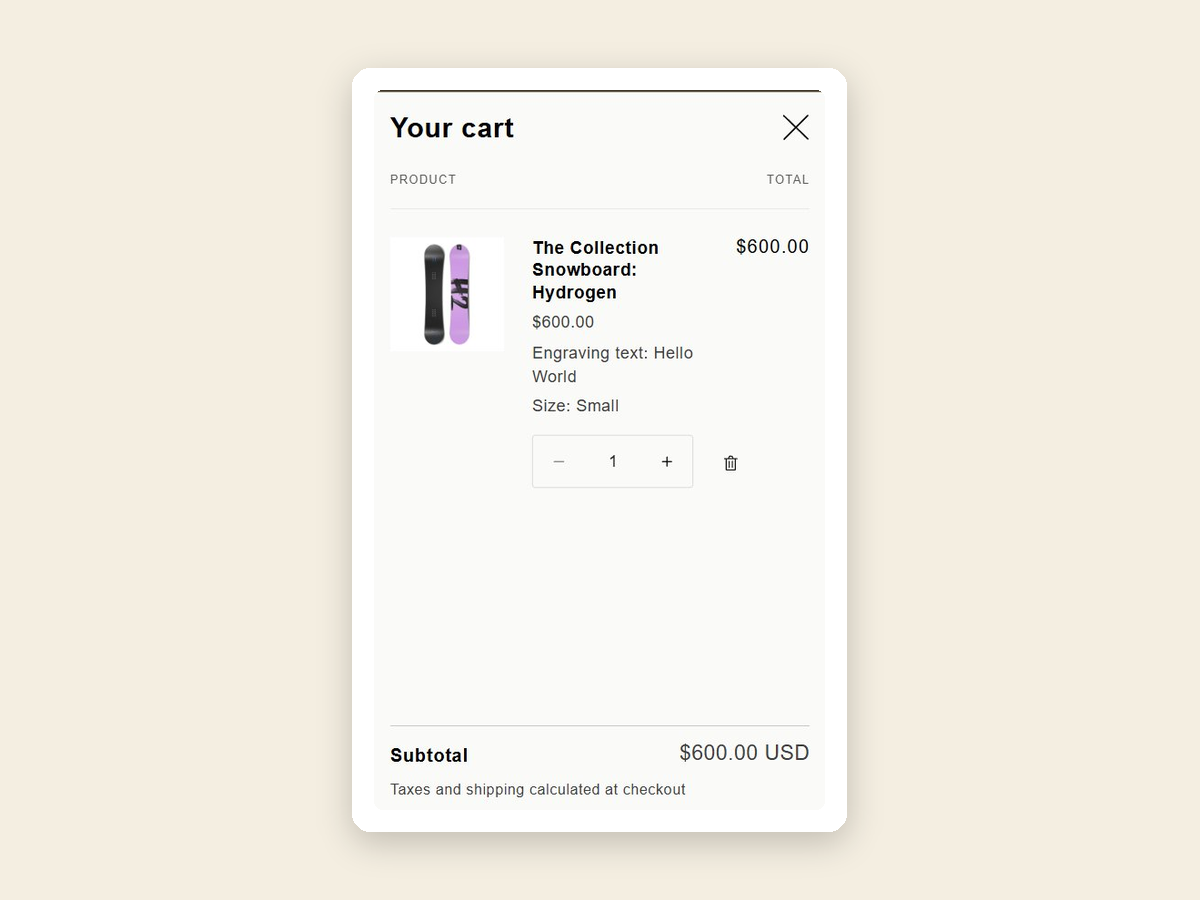
Customer selections ride into the cart and checkout as native line-item properties, so they land on the order exactly as entered — nothing to copy by hand.

Engravers, embroiderers, small-batch makers, print-on-demand shops — anyone whose products need a customer's input before they're made. Anvil keeps that input reliable, from the product page all the way to the order.
On the way: conditional show/hide logic for smarter option sets.
No. Anvil installs as a Shopify Theme App Extension — you drop an app block onto your product page from the theme editor. Your theme files stay untouched, which is exactly why options don't break when you update.
No. Pro is a flat monthly price. Whether it's a quiet week or Black Friday, your cost is the same regardless of how many orders you take.
Theme updates aren't a problem — because options live in app blocks rather than injected scripts, they keep working with nothing to do on your end. Switching to a brand-new theme is the one exception: app blocks don't carry across themes (true for every app), so you re-add the Anvil block once on the new theme. Your configured option sets stay exactly as they were.
Yes. On the Pro plan, any field can carry a price add-on. When a customer fills it in, the amount is added to the line and flows into the cart and checkout automatically — it lands on the order with no manual work, and no Shopify Plus required.
Open "Manage plan" inside the app and pick a different plan. To cancel, select the Free plan — your paid features stay active until the end of your current billing cycle, then the store moves to Free. Shopify handles the billing and timing.